
漫画ページ一括カラー化
まず1ページで色味を確認し、作風とキャラクター色を固定してからまとめて仕上げます。
クリエイターの一括処理向け
一度アップロードし、一度確認して、あとはバックグラウンドで処理します。
ここではカラー化は始まりません。まずアーカイブを確認し、コスト、スタイル、キャラクター色を確認してから処理します。
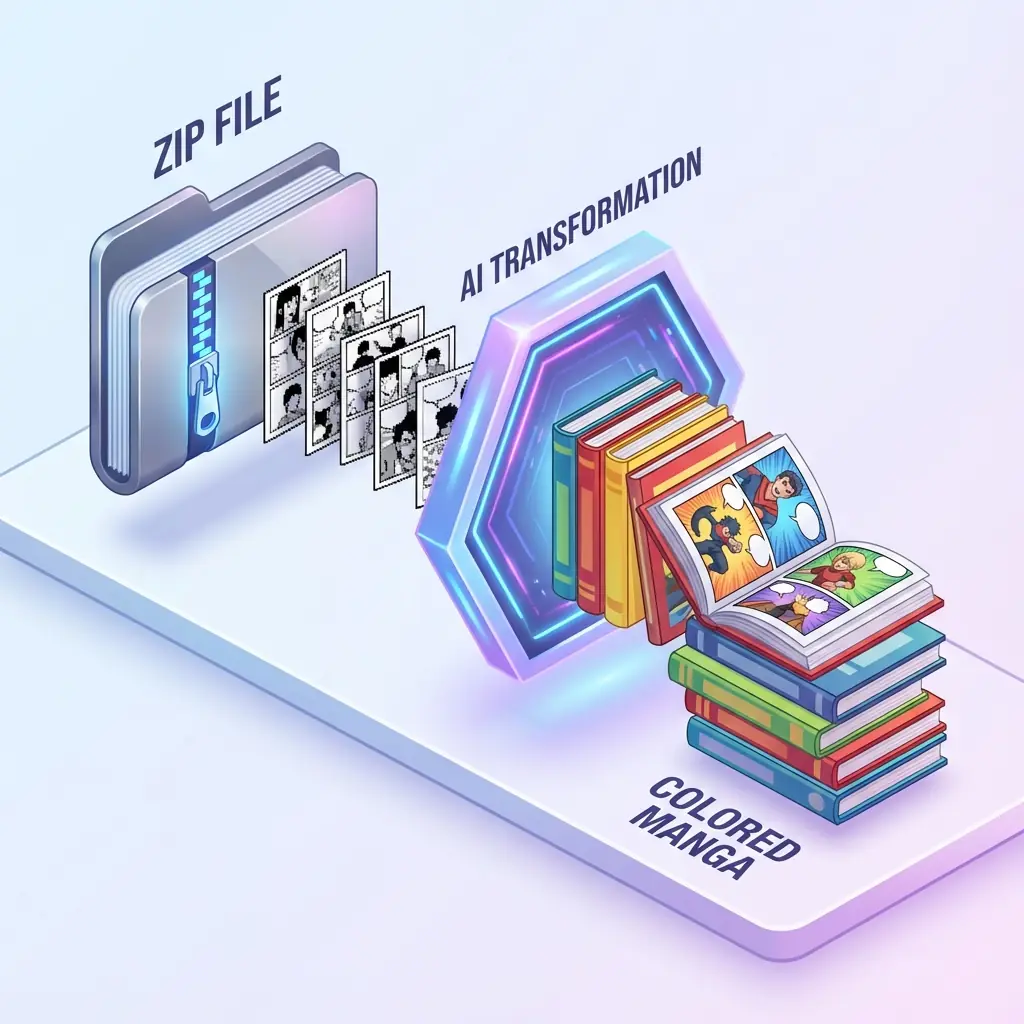
アップロード
ZIP または CBZ
コスト
処理前に確認
出力
ZIP でダウンロード
手動解凍なし
ページごとに解凍、名前変更、アップロードする代わりにアーカイブをそのまま使えます。
クレジットを先に確認
ページ数と見積もりクレジットを見てから処理を開始できます。
プレビュー後に選択
最初のページを見てから、バッチ全体のスタイルを選びます。
履歴は下に配置
長い章のジョブ履歴は戻れる場所として残し、作業幅は邪魔しません。
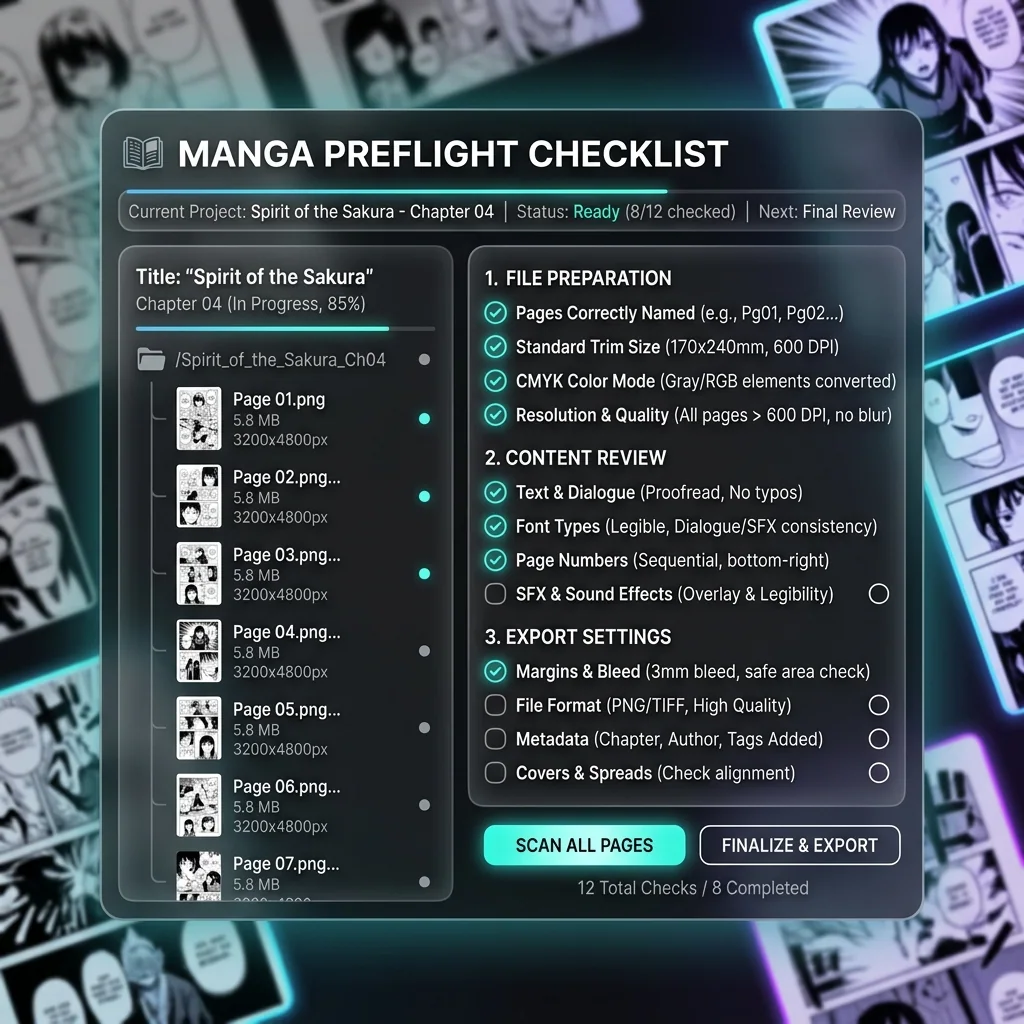
Creator QA
本番バッチをアップロードする前に
クリエイターが5ページ目以降で気づきやすい問題を先に防ぎます。
読み順を保つ
001、002、003 のような名前にすると、完成ZIPも章の順番で出力しやすくなります。
文字が見やすいページを使う
吹き出しやキャプションのコントラストが高いほど、文字保護が安定します。
リスクの高い章は分ける
クライアント案件や有料素材では、全巻の前に短いアーカイブで確認してください。
処理できるページだけをアップロード
元ファイルは別に保管し、カラー化する権利のあるマンガだけをアップロードしてください。
まだクレジットは消費されません
このアーカイブを本処理に進めるか確認
クリエイターや小規模チームでは、処理開始前に順番・コスト・素材品質を確認するのが最も安全です。
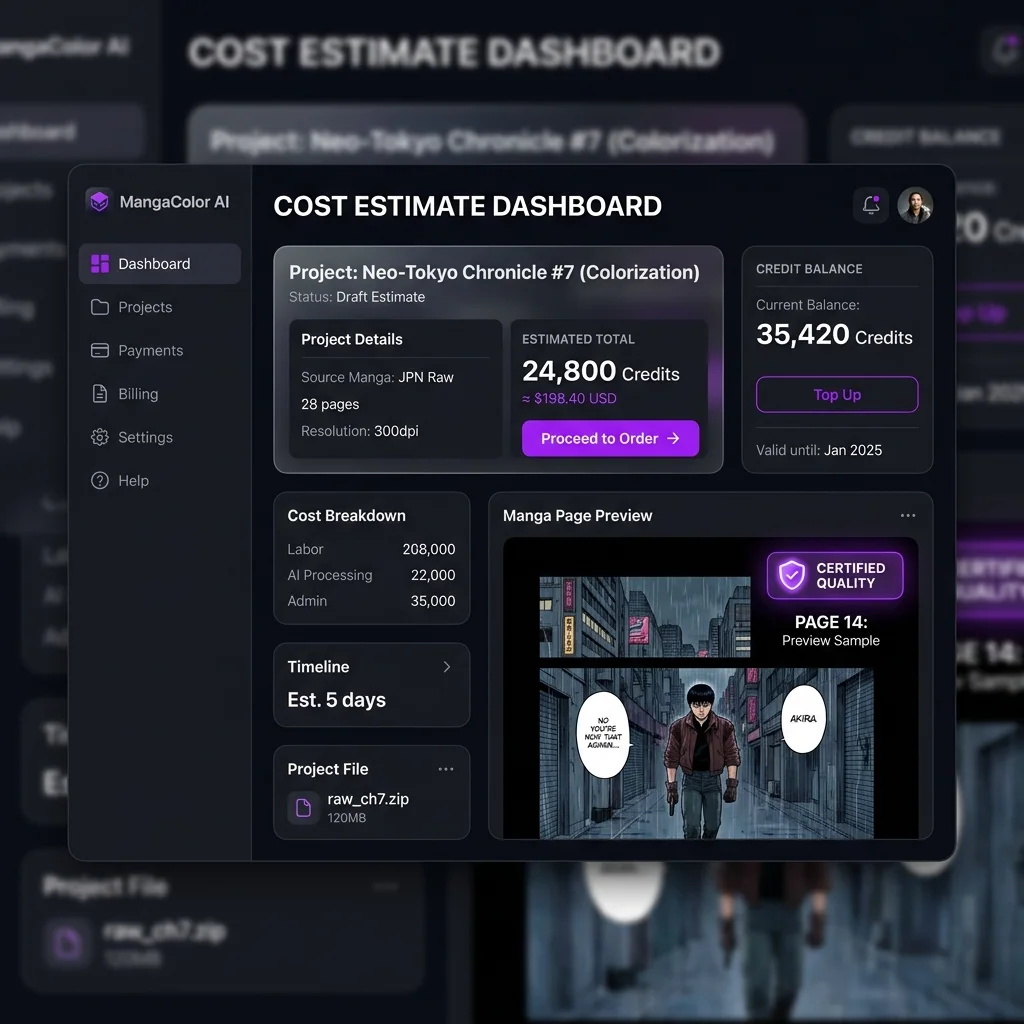
続行すると最初のページのプレビューへ進むだけです。スタイルとキャラクター色を確認してから一括カラー化が始まります。
ページ数が主なコストです
クレジットは検出されたページ数に基づくため、この数字を確認してから進んでください。
細かく管理したい場合は分割
長い章で色の方向を分けたい場合は、シーンや話数ごとに分けると確認しやすくなります。
分かりやすいアーカイブ名にする
履歴とダウンロード復旧でこの名前を使うため、チーム共有が楽になります。
What batch manga colorizer users actually need answered
The repeated search patterns are practical: colorize a manga chapter, colorize a manga volume, upload ZIP or CBZ manga, keep character colors consistent, protect speech bubbles, and get one usable export.
Colorize ZIP or CBZ manga
Can I upload the whole chapter without unpacking every page?
Most batch users are trying to escape the page-by-page loop. A useful workflow should accept the archive they already have, inspect supported images, keep names in reading order, and avoid forcing manual extraction before the estimate is clear.
Concern
Archive handling
ZIP and CBZ files often contain dozens of JPG, PNG, or WebP pages that must stay in sequence.
Answer
Upload once
VividManga reads the archive, counts pages, and moves the job forward without asking you to upload one image at a time.
Check
Name pages clearly
Use filenames like 001, 002, and 003 so the export can be rebuilt in chapter order.
Colorize a manga chapter
Will I see page count, credits, and risk before processing starts?
People searching for chapter or volume colorization are often worried about cost and mistakes at scale. The page should explain that inspection comes first, and batch coloring starts only after the user confirms the style and character colors.
Concern
A bad start wastes pages
A 40-page chapter makes wrong order, blurry scans, or the wrong color direction expensive to discover late.
Answer
Preflight first
VividManga separates upload, estimate, style preview, and processing so users can stop before credits are spent.
Check
Split uncertain work
For client, paid, or long-volume work, test a short scene before sending the full archive.
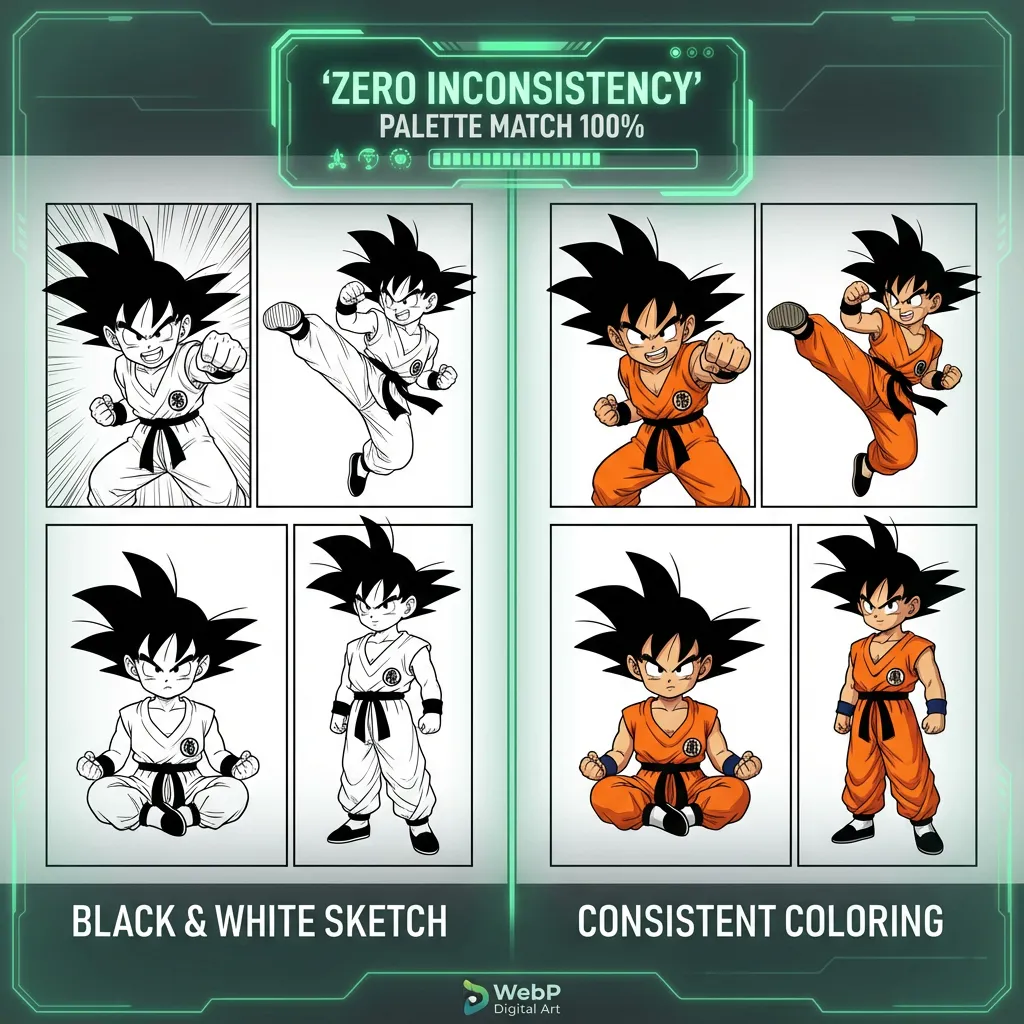
Character consistent manga coloring
How do I keep hair, outfits, and skin tones from changing page by page?
Color drift is the biggest quality fear behind multi-page manga coloring. Searchers want the same character to remain recognizable across panels, scenes, and chapter breaks instead of being recolored randomly on every page.
Concern
Single-image tools forget context
When every page is treated alone, the model can change uniforms, hair tones, and accent colors between scenes.
Answer
Confirm the palette
VividManga gives the batch a shared style and character-color target before the full job runs.
Check
Review recurring characters
Look at main cast hair, eyes, skin, outfits, and signature props before confirming a long batch.
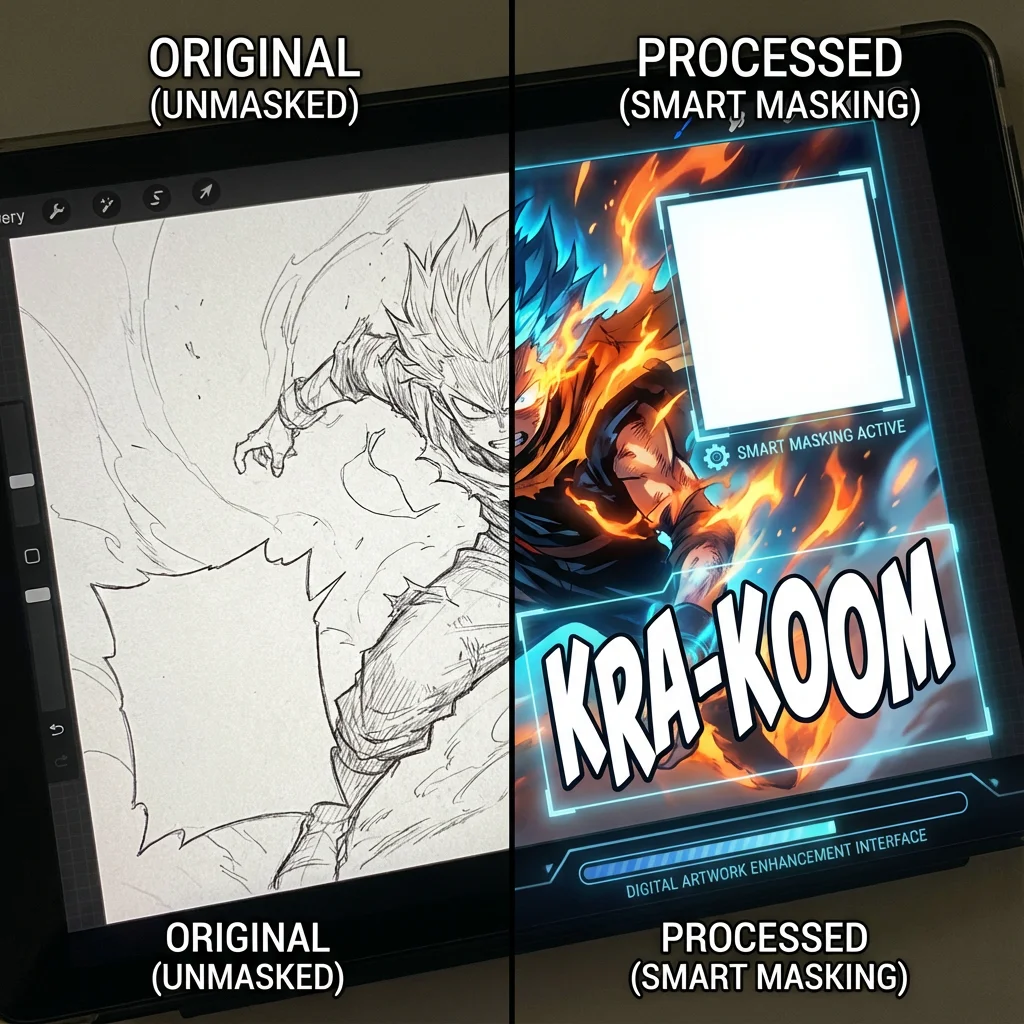
Speech bubble protection
Will dialogue, captions, and sound effects stay readable?
Manga colorization is not useful if it stains speech bubbles or muddies lettering. Batch pages need text-aware handling because a single damaged bubble can make the final chapter harder to read.
Concern
Text areas are fragile
Bubbles, narration boxes, SFX, and dense screentones sit close to artwork and can be easy to overpaint.
Answer
Protect readable zones
VividManga is designed to preserve text-heavy areas while adding color to the surrounding artwork.
Check
Use clean scans
High-contrast pages with clear bubble edges give the protection step a stronger target.

Multi-page manga colorizer output
What happens when a large batch finishes or partly fails?
Batch users also care about recovery. A real chapter workflow needs progress, history, partial results, and a clean ZIP export so creators are not hunting through loose files after a long run.
Concern
Long jobs need a trail
Large folders and volumes are hard to manage if the browser closes, one page fails, or the download link is lost.
Answer
Track and recover
VividManga keeps job status, page progress, history, and download actions tied to the original archive name.
Check
Export as one archive
Finished pages are packaged into a ZIP so the colored chapter can move into reading, editing, or publishing.
漫画ページ一括カラー化が向いているユーザー
1ページの素早い確認よりも、ページ数、色の一貫性、繰り返せる出力が重要なときに使う機能です。
漫画作者
章全体の色方向を確認してから開始
アーカイブを一度アップロードし、ページ数、クレジット、最初のページの方向性を確認してからキャラクター色を決めます。
手戻りを減らす: 1つの配色判断を章全体に反映できます。
ショート動画クリエイター
章を編集に使える素材へ
ページ順、読みやすい吹き出し、安定したキャラクター色を保ち、完成した ZIP を Bilibili、TikTok、Shorts、編集ソフトへ渡せます。
投稿を速く: ページごとのアップロード作業を減らします。
読者・コレクター
元のアーカイブを乱さずスキャンを改善
VividManga は新しいカラー出力アーカイブを作成し、コスト確認、履歴、ダウンロード復旧も残します。
安全な保管: 元画像とカラー結果を分けて管理できます。
漫画読者・コレクター
白黒のZIP/CBZアーカイブを、1ページずつ手作業で扱わずに読みやすいカラー版へ変換できます。
YouTube・TikTok制作者
動画編集、サムネイル、ナレーション動画に使うカラー漫画コマを、繰り返し作業を減らして準備できます。
翻訳・編集チーム
配色方向を確認し、文字を保護し、ページ順を保ちながら、後の写植やレビューに使う章全体を作れます。
配色を試す作家
連続ページをまとめて比較し、シーンをまたいでも配色が成立するか判断できます。
よくある質問
漫画ページ一括カラー化の ZIP/CBZ アップロード、クレジット、ページ順、キャラクター色の一貫性、吹き出し保護、履歴、ダウンロードについてまとめました。