Manga colorizer before and after examples are useful only when the comparison preserves the same crop, scale, and drawing. A strong example shows the monochrome source beside the rendered output and explains what passed, what failed, and what still required human correction. Saturation alone is not evidence of quality.
Short answer
Compare structure first: panel borders, facial features, hands, hair gaps, text, and effects. Then review palette, depth, and focal contrast. Finally, compare recurring elements on adjacent pages. An example should be rejected if the color pass changes the drawing or hides the amount of manual repair needed.
A five-step workflow
1. Make the comparison fair
Use the exact source file that produced the output. Match crop, orientation, and display scale. Do not place a compressed source beside a sharpened result or hide difficult edges with a smaller thumbnail.
Label any cleanup that happened before generation and any correction that happened afterward. Otherwise the example cannot explain what the tool actually did.
2. Inspect topology
Check whether closed shapes remain closed, facial features stay in place, hands keep their fingers, and hair strands do not merge into clothing or background.
These are drawing changes, not palette preferences. Record them separately because they determine whether the output can be corrected locally or must be rejected.
3. Protect text and effects
Review bubble interiors, tails, captions, small lettering, sound effects, and speed lines. Color should support reading instead of competing with it.
A before and after pair that crops out text avoids the hardest production question. Include at least one page where reading elements are visible.
4. Review color decisions
Once structure passes, compare skin, hair, costume, props, light direction, and background contrast. Ask whether the color reinforces the scene's focus and time of day.
Avoid treating the most dramatic result as the winner by default. A restrained result may require less correction and preserve the original pacing better.
5. Add continuity and effort
Show the same character or setting on nearby pages, then record whether the accepted palette repeats. Also record the manual steps needed to reach the displayed final image.
A useful example reports the full path from source to accepted result. This lets readers judge whether the workflow fits a sketch, a reading copy, or publication work.
Decision table
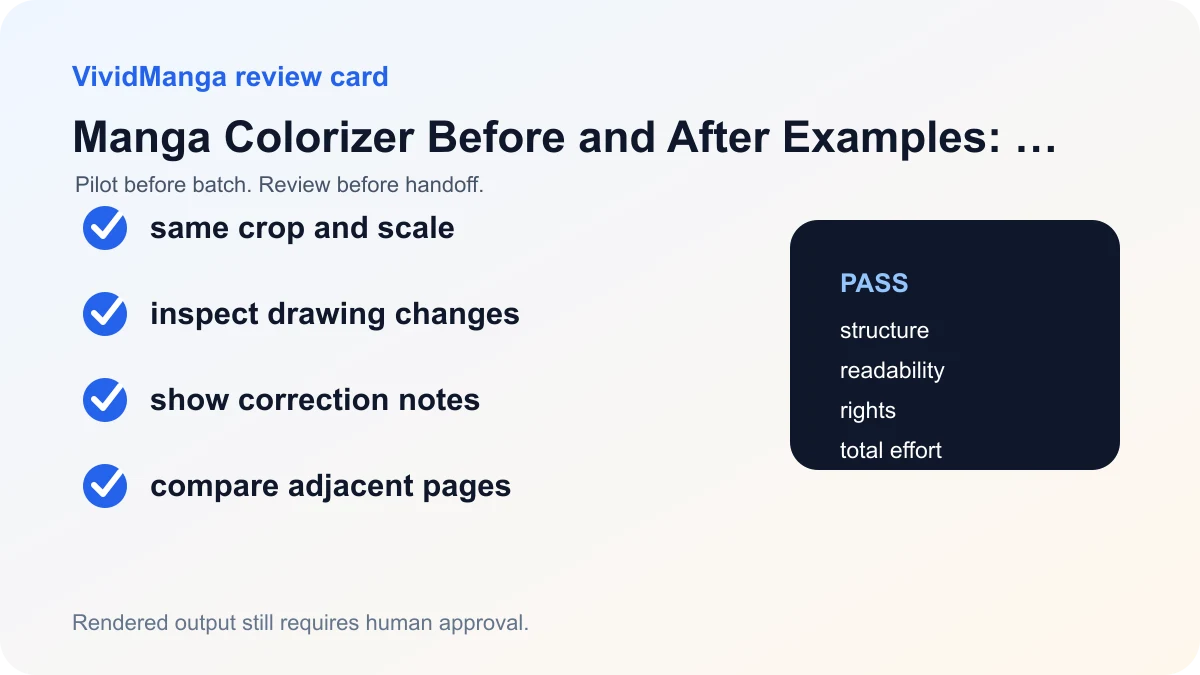
| Check | Pass condition | If it fails |
|---|---|---|
| Structure | Same drawing, borders, faces, and hands | Reject or rebuild |
| Reading | Text and effects remain clear | Mask and correct |
| Color | Palette and lighting support the scene | Adjust manually |
| Continuity | Recurring elements match reference | Return to short-sequence test |
Three real VividManga demonstration pairs
VividManga publishes the following source and result files as product demonstrations. This page does not provide the underlying creator or license chain and makes no ownership claim. Do not reuse either source or result outside VividManga without permission from the applicable rights holder. No manual correction record exists for these pairs, so treat them as demonstration outputs, not proof of a production-ready page.
Example 1: action pose with a decorated staff
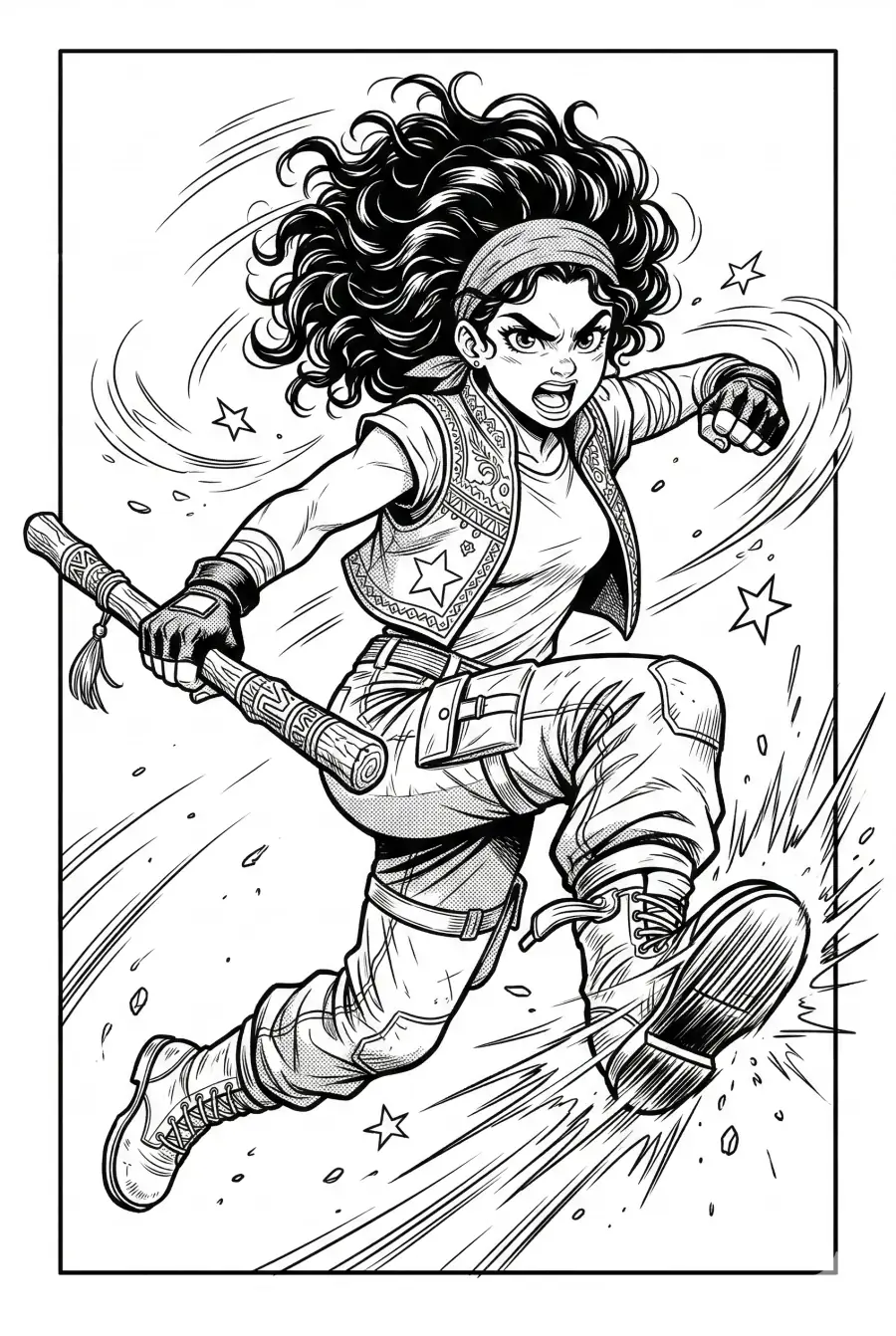

What survives: the central pose, face, decorated staff, clothing silhouette, motion lines, stars, and border stay recognizable. What changes: the white background becomes a blue and orange field, and some hatching in the clothing and ground effects is simplified into broader color shapes. Both hosted files are 900 by 1342 pixels, but matching dimensions alone do not establish pixel-perfect structural identity.
Example 2: illustrator in a Paris-style city scene
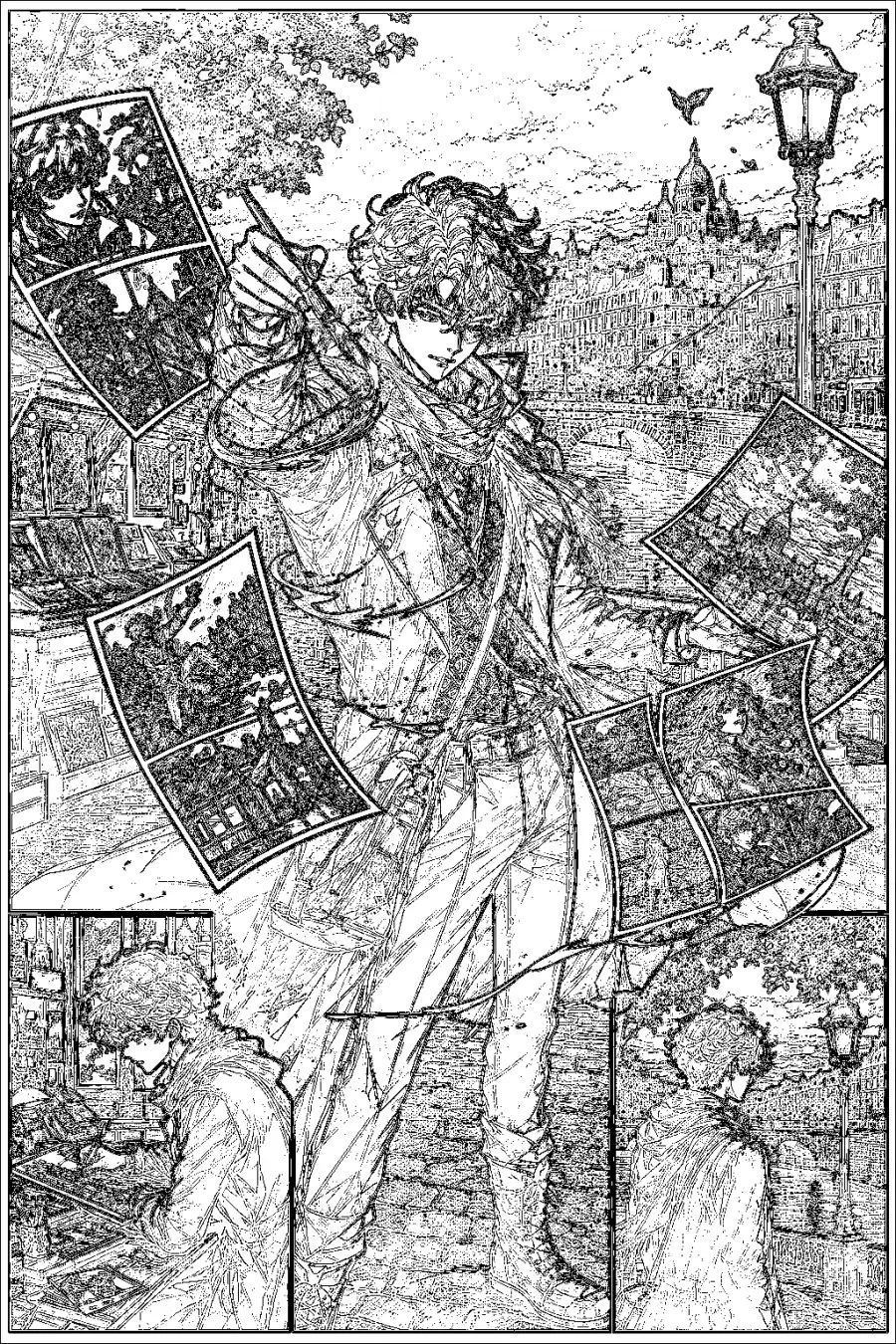

What survives: the standing figure, drawing hand, floating page layout, bridge, streetlamp, distant domed landmark, and lower inset panels remain part of the composition. What changes: the result chooses evening light, adds a glowing brush effect, colors several floating sketches as finished scenes, and simplifies fine architectural hatching. Text protection is not demonstrated because the source contains no lettering or speech balloons.
Example 3: multi-panel marketplace sequence
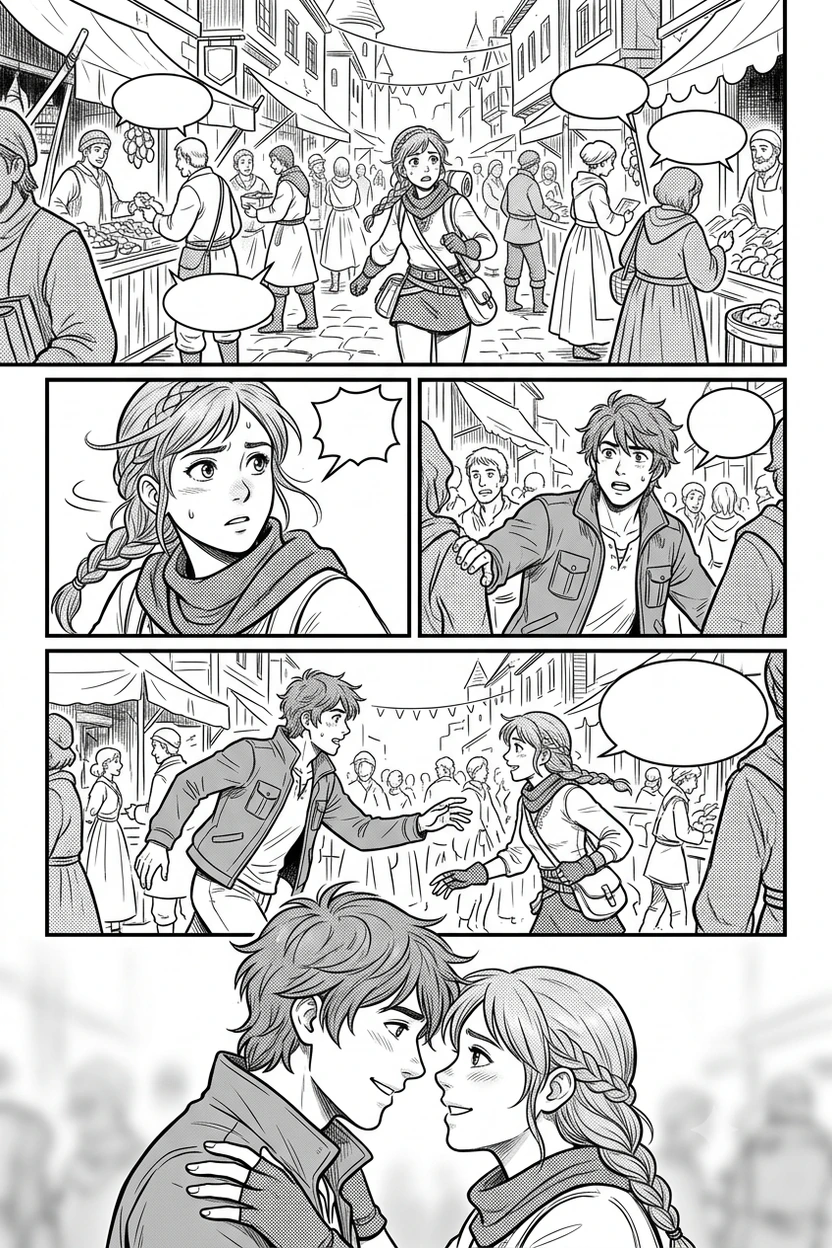

What survives: the five-panel layout, marketplace setting, two recurring characters, crowd placement, and blank speech-balloon shapes remain recognizable. What changes: the result chooses warm daylight, supplies costume colors, alters some background figures and facial details, and softens fine market architecture. The empty balloons help inspect shape preservation, but they do not demonstrate protection of actual lettering.
How to judge these examples honestly
Open each source and result in separate tabs and compare the same region at similar displayed size. Start with topology: face, hands, contours, panel borders, bubble tails, props, and foreground overlaps. Then check text, followed by palette and mood. A bright result that changes the drawing is not a structural pass.
Record corrections that would be required for the intended use. For an internal mood reference, small line changes may be acceptable. For publication, the same changes may require masks, repainting, or rejection. These examples have no timed correction log and no adjacent-page continuity test. They cannot establish correction cost, character consistency, or chapter readiness.
The sources are demonstrations, not promises that another page will produce the same result. Automated output can be imperfect or inconsistent. VividManga returns a rendered image, not a layered working file. Keep the original art project and upload only art you own or have permission to process. See the Privacy Policy and Terms of Service before using unpublished or client material.
Colorize one manga page here
Upload one black-and-white page, get a color result, then decide whether to process more pages.
PNG, JPG, or WebP under 5 MB works best.
Use this result to judge palette, line art, and speech bubbles before scaling.
Use the Manga Colorizer to build a before-and-after pair from your own authorized page. Apply the same rubric and disclose any crop, cleanup, rerun, or manual correction when sharing the result.
Make your own comparison reproducible
Save the untouched source, the exact upload copy, the raw downloaded result, and the corrected final as four separate files. If the upload copy was cropped, rotated, cleaned, or resized, show or describe that change. If the result was rerun, disclose how many candidates were generated and which one is shown. If manual work followed, list the corrected regions and approximate time.
Use a fixed comparison frame. Match crop and displayed scale, keep aspect ratio, and avoid showing a tiny source beside an enlarged result. Provide a full-page pair plus one or two detail crops for a face, hand, text area, or patterned material. The full page shows hierarchy; the crops reveal structural changes that disappear in a thumbnail.
A single pair cannot support a claim about consistency. Add an adjacent-page pair with the same character and lighting when continuity matters. The AI workflow guide explains the pilot rule, while the panel guide explains how to inspect and reintegrate a difficult crop. Publish the failure as well as the attractive result when it teaches a real limit. That makes the example more useful for readers and less likely to be mistaken for a guarantee.
Add correction disclosure beside the image
A useful caption can be short: "Raw rendered output; no manual correction; source and result displayed at proportional size." A corrected example needs more: "Selected from two runs; bubble and sleeve masked in the layered master; twelve minutes of correction." Put this information beside the pair, not in a distant policy section.
For accessibility, write alt text that describes the comparison rather than saying "before image" or "after image." Name the scene, monochrome or color state, and the detail being evaluated. Do not put quality judgments into alt text. Readers who cannot see the image should still learn what evidence the pair contains.
Treat missing evidence as a limitation
These three demo pairs do not include layered source projects, generation timestamps, prompt records, retry counts, or correction logs. That is why the observations stay visual and limited. They are not suitable for calculating success rate, speed, cost, or consistency. Future examples should preserve those records from the moment the source is selected.
An honest gallery can include a failed pair when permission allows. Mark the failure region, explain the reject rule, and show whether a source repair or manual method solved it. Failure evidence often answers a creator's decision more directly than another polished thumbnail.
References used for this guide
- Clip Studio Paint reference layer guide: Reference layers let fill and selection tools use separate line art as a boundary, which is why clean separation makes manual correction easier.
- Clip Studio Paint fill tool guide: The fill tool documentation covers gap closing, reference layers, lasso fill, and small leftover areas that often need manual cleanup.
The linked manuals support the inspection and manual-correction methods. They do not verify these VividManga samples or guarantee another result; the visible observations come only from the displayed source and output pairs.
FAQ
What do readers mean by a manga colorizer before after comparison?
They mean a matched view of the monochrome source and colorized result. It should use comparable scale, preserve visible text and line detail, and disclose any cleanup or correction work.
How can I tell whether line art changed?
Overlay the output and source in drawing software or switch between them at the same scale. Look for moving contours, closed gaps, missing effects, and altered facial features.
Is a more colorful result better?
No. Judge readability, drawing preservation, scene focus, continuity, and correction effort. Saturation is a style choice rather than a general quality score.
Can I publish the generated example directly?
Review rights, accuracy, and suitability first. VividManga provides rendered output, and the Terms do not guarantee that results are unique, error free, or free of third-party claims.