Manga page ordering before coloring is the process of locking filenames, covers, spreads, and reading direction before a multi-page color job. It prevents a technically successful batch from returning a broken chapter. The order should survive upload, review, replacement of failed pages, ZIP export, and the final reading environment.
Short answer
Create a source manifest, use zero-padded filenames, mark covers and spreads, and confirm whether the project reads right to left or left to right. Test the sorted files before processing. After colorization, review the exported sequence and verify that every replacement page keeps its original filename and position.
A five-step workflow
1. Decide reading direction
Japanese-style manga commonly uses right binding and begins from the right, while Western-style comics commonly use left binding. The project setting, not the reader's file browser, should define the intended sequence.
Write the direction into the job notes so anyone replacing or exporting pages uses the same rule.
2. Create a filename manifest
Use zero-padded numbers and keep the original page identifier stable through every stage. Separate cover, interior pages, inserts, and bonus pages deliberately.
A manifest can be a simple table with filename, displayed page, spread status, and notes. It becomes the reference when one page is retried.
3. Handle spreads explicitly
Decide whether each spread is one image or two pages in the final reading environment. Do not mix approaches within the same batch unless the manifest records the exception.
Check that gutters and crop marks do not become part of the colorized art. Keep a source copy before any split or merge operation.
4. Test sorting before processing
Open the loose-image list or archive with the same alphabetical sort the batch tool will use. Confirm the first pages, a middle sequence, the last pages, and every spread transition.
If the sequence is wrong before colorization, fix filenames instead of planning to repair the ZIP later.
5. Verify after replacements
When a page fails, retry it under the same stable filename and put it back into the manifest position. Then open the exported ZIP and read through the transition on both sides.
Final QA should check order, missing files, duplicate files, orientation, color continuity, and text. Archive success alone does not prove reader order.
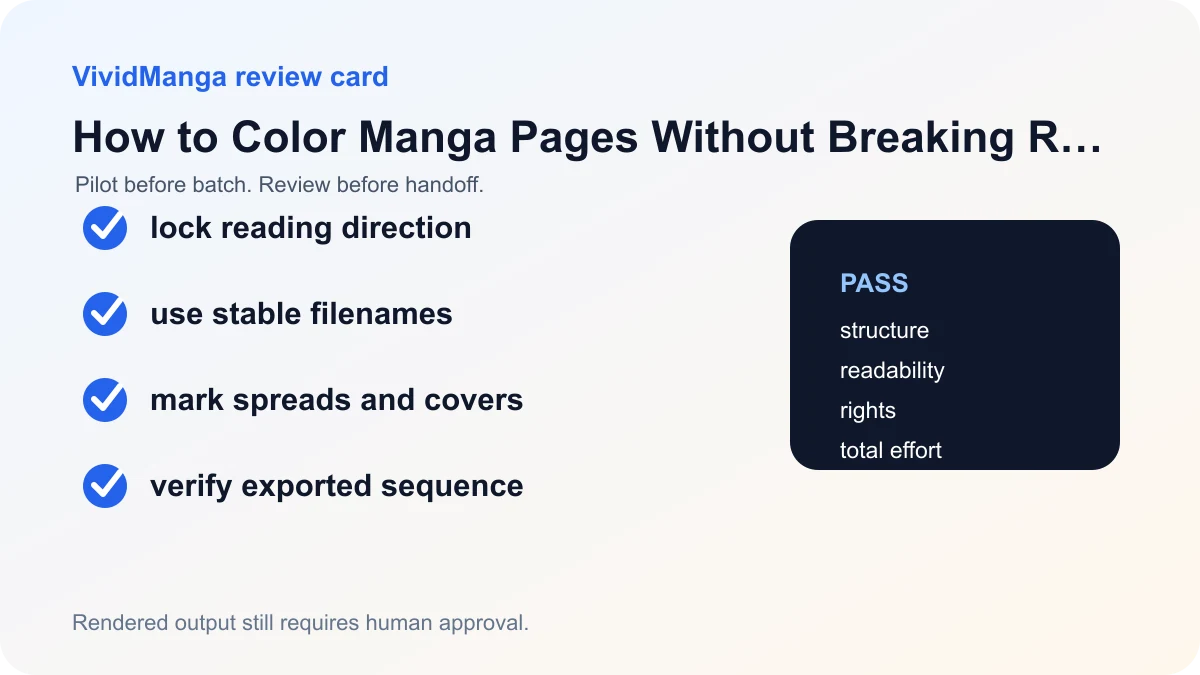
Decision table
| Check | Pass condition | If it fails |
|---|---|---|
| Direction | Right-to-left or left-to-right recorded | Resolve before upload |
| Filenames | Alphabetical sort equals reading order | Rename source files |
| Spreads | Split or combined rule is consistent | Rebuild affected pages |
| Export | No missing, duplicate, or misplaced pages | Repair ZIP and recheck |
Use a manifest that survives covers, spreads, and extras
Binding direction and file sequence are related but not identical. A right-bound Japanese-style book changes how readers encounter left and right pages and how spreads are viewed. A batch processor still needs an explicit linear file order. Decide the publication order first, then name the files so the order shown by the batch preflight matches it.
Here is a copyable manifest:
| Position | Filename | Page role | Spread rule | Notes |
|---|---|---|---|---|
| 0 | ch07-cover.png | cover | single | outside story pagination |
| 1 | ch07-001.png | story page | single | opening right-hand page |
| 2 | ch07-002-003-spread.png | story spread | combined | keep as one image |
| 3 | ch07-004.png | story page | single | follows combined spread |
| 4 | ch07-insert-a.png | insert | single | appears before page 005 |
| 5 | ch07-005.png | story page | single | resume numeric sequence |
| 6 | ch07-bonus-01.png | bonus | single | after chapter end |
If the publication requires split spreads, use two explicit positions such as ch07-002-spread-left.png and ch07-003-spread-right.png, then record which visual half the reader sees first. Do not infer this from the word left or right alone. The manifest, not the filename, is the authority.
Verify four orders, not one
First, sort the source folder by name. Second, compare the batch tool's displayed preflight order with the manifest. Third, inspect the downloaded output after extraction. Fourth, open the final package in the actual reader or publishing tool. A chapter can pass the folder sort and still fail later if a replacement was appended, a spread was split differently, or a bonus page was included in the story count.
When a page is replaced, preserve its position token. Keep versions after the extension or outside the delivery folder rather than changing ch07-005.png to new-final-page.png. A safe working pattern is revisions/ch07-005-v2.webp, followed by copying the approved file into the delivery folder as ch07-005.webp.
Common ordering failures
1.png, 10.png, 2.pngsorts incorrectly in a simple filename view. Use zero padding.cover-final.pngmay land after numbered pages. Give it an explicit sequence position or keep the manifest visible.- A two-page spread counted as one image shifts every later position if the manifest counted physical pages instead of files.
- Hidden thumbnails and duplicate exports change the detected count even when the visible chapter looks correct.
- A rerun named differently may be appended or misplaced during final packaging rather than replacing its source position.
- Right-bound reading is treated as reversing the file list. The publication's binding does not automatically mean the processor should receive filenames in reverse.
The Clip Studio Paint comic settings distinguish binding direction and starting page, while its Page Manager manages page order. Those concepts explain why the manifest must record both reading setup and linear file position.
VividManga returns rendered images, not layered project pages. Keep the production document and upload only authorized material. The Privacy Policy and Terms of Service apply to the files in the batch.
Colorize one manga page here
Upload one black-and-white page, get a color result, then decide whether to process more pages.
PNG, JPG, or WebP under 5 MB works best.
Use this result to judge palette, line art, and speech bubbles before scaling.
After the four-order check passes, open Colorize Manga Pages. Continue with the batch workflow for chapter review and replacement QA.
Handle revisions without renumbering the chapter
Freeze sequence positions once coloring begins. If the author inserts a new story page between 004 and 005, either use an explicit insert token such as 004a in the working manifest or create a new numbered source version for the whole downstream sequence. Choose one rule and apply it to source, output, lettering, and final delivery. Silent renumbering makes old review notes point at the wrong art.
Keep physical page numbers, story numbers, and file positions in separate manifest columns when they differ. A cover may have file position zero and no printed page number. A combined spread may occupy one file position but two physical pages. An insert may have a position without changing printed pagination. This distinction is especially useful when the publisher and batch reviewer use different vocabulary.
The final check is manifest-to-export parity. Count the expected files, compare each position and role, open spreads, and confirm that revisions replaced their positions. Then inspect the first page in the configured reading direction. VividManga returns a rendered image, not a layered project page, so the manifest should point back to the editable master for every output. Archive the approved manifest with the final ZIP.
Give the manifest one owner
One person should approve sequence changes and publish the current manifest version. Reviewers may flag a mismatch, but they should not each rename files independently. The owner records the change, updates downstream references, and announces the new version. This is especially important when lettering, coloring, and export happen in separate folders.
Use checksums when filenames are not enough. A short hash beside each approved source can reveal that ch07-005.png changed without a version bump. The hash is not a rights record or backup, but it is a reliable identity check during handoff.
Print or export the manifest before the final reader test. Ask the reviewer to follow positions rather than filenames alone, then note the first and last page of every scene. This catches an insert placed at a plausible but wrong boundary. For a combined spread, confirm both the preceding and following position, not only the spread image itself.
After approval, make the delivery folder read-only or copy it to a release archive. Further corrections should create a new version with a new manifest date. A stable release snapshot prevents a late replacement from changing the published sequence without a matching review record.
References used for this guide
- Clip Studio Paint Page Manager guide: The Page Manager supports page reordering, multi-page projects, reading direction, and sorting page filenames to match project order.
- Clip Studio Paint comic canvas guide: Comic project settings distinguish right-bound Japanese manga from left-bound Western comics and let creators set the starting page before export.
The linked manuals support binding, starting-page, page-management, and export concepts. The manifest and four-order check are editorial methods designed to make those concepts auditable in a VividManga batch before final chapter delivery.
FAQ
How should I name manga pages before coloring?
Use stable, zero-padded filenames that sort into reading order. Keep covers, bonus pages, and spreads explicit instead of relying on upload time or file creation date.
Should manga read right to left?
Traditional Japanese manga commonly reads right to left, but the correct setting is the one intended by the project and publication. Record it before processing.
How do I handle a two-page spread?
Choose whether the final platform needs one combined image or two pages. Keep that choice consistent and test the gutter transition before the full batch.
Can I reorder pages after colorization?
Yes, but fixing order afterward increases the chance of mismatched names and replacements. It is safer to lock the order first and preserve filenames through export.